Showing posts with label kaffeine. Show all posts

Monday, 10 August 2009

How-To: Compile and Install Kaffeine 1.0-pre2 in Kubuntu 9.04 Jaunty Jackalope

Kaffeine is a powerful video player for KDE using the Xine engine, which released a new pre-release for 1.0 yesterday. Version 1.0 will be the first stable port for KDE4, and in the meantime you can try the latest pre-release on your Ubuntu or Kubuntu box by following the next steps.


First, install the necessary dependencies and tools needed by the compilation:

sudo apt-get install cmake build-essential
sudo apt-get install kdelibs5-dev libgettext-ruby-util

First, download the source tarball from the official website (direct link here) and uncompress it:

tar -xzf kaffeine-1.0-pre2.tar.gz

Next, make sure the current working directory is kaffeine-1.0-pre2/ and issue the following commands:

mkdir build
cd build
cmake ..
make
sudo make install

Kaffeine 1.0-pre2 should be now properly installed in /usr/local/bin/kaffeine.


Notice that you can specify another prefix for the installation and install Kaffeine as a normal user. To do that, instead of the commands above, do:

mkdir build
cd build
cmake -DCMAKE_INSTALL_PREFIX=/home/USER/usr/ ..
make
make install

You will have to replace USER with your username, and make sure the path /home/USER/usr/bin is included in your $PATH variable.

Kaffeine 1.0-Pre2 Released


Kaffeine is a popular video player among the KDE users, using the Xine engine for video playback, supporting lots of video formats (including high-definition Matroska video (MKV), DVDs and DVD ISO images) and providing numerous and powerful features, support for subtitles, DVD menus, and much more.

Kaffeine 1.0 will be the first KDE4 port of Kaffeine, and in the past I wrote a review of the first pre-release, which you can read here.

The second pre-release was made available on August 9, 2009, and, according to the announcement on the official website, it includes the following new features:
- added screensaver inhibition using DBUS
- added basic playlist features
- added on-screen display
- added DVB-S2 support using S2 API
- many other bug fixes and improvements

I'll soon post a tutorial on how to install and test this pre-release in Ubuntu 9.04 Jaunty Jackalope.

Wednesday, 24 June 2009

How-To: Compile and Install Kaffeine 0.8.8 in Debian Lenny

Kaffeine is a powerful video player for KDE, using the Xine engine. The latest KDE3 release is 0.8.8, which fixes some bugs and introduces S2 support.

These are a few steps to follow in order to compile Kaffeine on Debian Lenny (which ships by default with 0.8.7):

1. Make sure the sources repositories are enabled
Edit your /etc/apt/sources.list file as root (e.g. su; nano /etc/apt/sources.list) and make sure a line which starts with deb-src and looks like the one below is available:

deb-src ftp://ftp.ro.debian.org/debian/ lenny main contrib non-free

Next, update the sources lists:

su
apt-get update

2. Download the source code
Get the source from the official homepage, here, then uncompress it:

tar -xjf kaffeine-0.8.8.tar.bz2

3. Install the needed dependencies
As root, type:

apt-get build-dep kaffeine
apt-get install libcdio-paranoia-dev

The library libcdio-paranoia-dev is needed in order to get rid of the error ERROR: Could not find cdparanoia headers.

This will install build-essential and the development libraries needed to compile Kaffeine.

4. Compile and install Kaffeine
Just follow the usual steps:

./configure
make
make install

The last one as root. If you want to install Kaffeine as local user, use:

./configure --prefix=/home/USER/usr
make
make install

No root required for the last command. This should do it.

Monday, 27 April 2009

Kaffeine 1.0 Pre-Release Preview - First KDE4 Port


The first pre-release of Kaffeine 1.0 was released yesterday so I decided to give it a spin and see how it behaves. Since this is a pre-release, it is not intended for general use and currently lacks many features and functionality from Kaffeine 0.8.7. This is first KDE4 port of Kaffeine for KDE3, which was one of the most powerful players for KDE, including support for DVD menus, subtitles, video effects, and supporting a huge number of video and audio formats via the Xine engine.

According to the official announcement, the next release will be more suitable for general use, and this one is intended for testing purposes only, it's just a preview.

Kaffeine 1.0 pre-release

For this preview I installed Kaffeine from source on a Debian Sid system.

The interface at first sight made me a good impression. It's characteristic to Kaffeine, clean and simple, with 4 tabs to the left for fast access to functions like playback, the playlist or television. As usual, Kaffeine will show several buttons for the main actions in its start-up window, and those include Play File, Play Audio CD, Play Video CD, Play DVD and Digital TV.

Start tab


The Settings menu currently includes only the option to configure shortcuts, but this is a preview release, so configuration options will get there soon.

The first thing which jumps into attention is the Television module, which looks extremely promising, but currently has no functionality (or at least, it didn't look to me to have any). However, I was enchanted to see it in concept: it looks great.

Television- no functionality yet

A good change which seems very useful is that the Playlist tab includes a playlist, a movie preview and also a file manager. See the screenshot below:

Playlist, file manager and movie preview

I was able to play Ogg Theora, but no other formats (including the free Matroska or DVDs).

About

Conclusion
Although this is a pre-alpha release, it looks just awesome, and if all the features (or at least almost all) will be implemented by the time 1.0 gets out as a stable release, Kaffeine will definitely keep being one of the most powerful video players for KDE. I'm very curious on how the TV functionality will turn out, and I'm also pleased to see the same clean and intuitive interface, which doesn't stay in the way of the user. I'm looking forward to a full-featured release which certainly won't disappoint the fans of Kaffeine.

Updated: April 28, 2009

Friday, 24 October 2008

3 Best Video Players for Linux: SMPlayer, VLC and Kaffeine

SMPlayer
SMPlayer is built in Qt4 and it uses the MPlayer engine for video playback. It's one of the most powerful applications out there for watching DVDs, and it supports plenty formats like AVI, MKV, MPG, FLV.
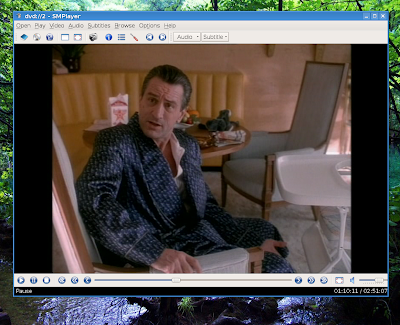

One of the great features about SMPlayer is that it has a configuration file in which it saves all the settings, separately for each video, including the remaining time. So if you close it then re-open a movie later, all the settings which you've set for it will be automatically loaded, and the movie will continue from where you left it. This does not apply yet to DVD ISO images though.
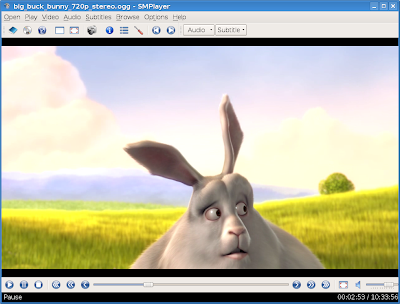

It doesn't seem to support DVD menus, but you can choose both language and subtitles using its menus.

SMPlayer also supports icon themes, it allows to change the style used, the Qt interface can be configured separately from the settings you have in qtconfig-qt4, it shows detailed information about the currently playing file, it allows you to change default keyboard shortcuts, and you can change the video output driver. You can choose from various video output drivers, the default one being xv.
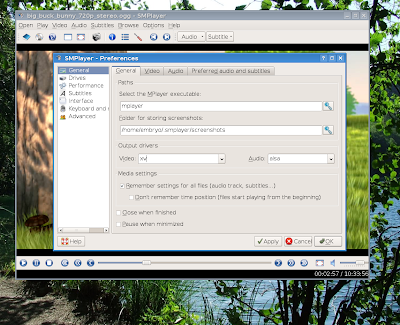

The last version is 0.6.3 for Linux. Debian Lenny comes with SMPlayer 0.6.1, while Ubuntu Hardy Heron with 0.6.0. To install it, use:

On Debian, type as root:

apt-get install smplayer

On Ubuntu, use:

sudo apt-get install smplayer

To compile the last release of SMPlayer in Debian (this should work on Ubuntu too), download the source tarball from here, uncompress it, change the current working directory to smplayer-0.6.3 (or whatever version you may have) and issue the commands:

make QMAKE=/usr/share/qt4/bin/qmake make install

The last one as root.

Homepage

VLC
Also known as the VideoLAN Client, VLC is yet another cross-platform, powerful video player built using the wxWidgets toolkit. The new release, 0.9.4 provides a Qt interface, as well as many interface changes.
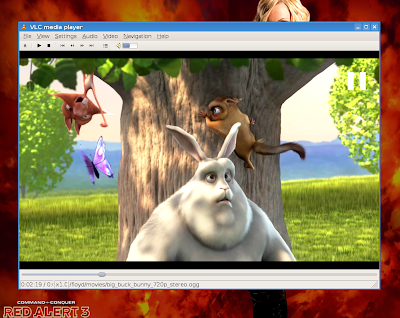

VLC plays pretty much any format you feed it with, including DVDs and DVD ISO images. It handles subtitles well and also provides DVD menus. Included in Debian is the 0.8.6h version, but a new release, 0.9.4 is available for download and repositories are available on their official website. The version in the Ubuntu Hardy repositories is 0.8.6e.
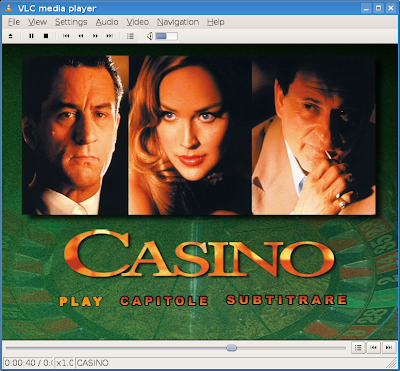

The only thing I did not like about VLC is that its interface is somewhat inconsistent, for example the Preferences dialogue has a small size by default, and even if you change it, it will be resized again next time. Also, sometimes the F shortcut for fullscreen does not work.

Homepage

Kaffeine
Kaffeine is a wonderful video player, currently available for KDE 3, but a port for KDE4 is in the works too.

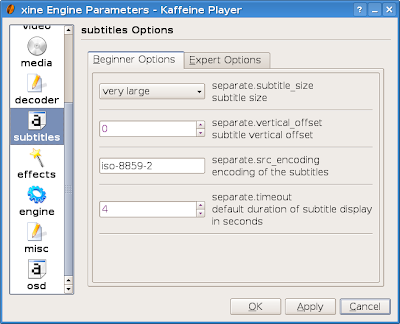
Kaffeine uses the Xine engine for playing videos, and it does a very good job especially with DVDs, reading menus very well. It's light and it starts fast, integrating very good with KDE. The last stable version is 0.8.7, which is included in Debian Lenny repositories. Kaffeine plays pretty much anything and it offers the possibility to configure the Xine engine too, but it uses a little more CPU power than SMPlayer when it comes to high-resolution videos, like x264 Matroska videos of 720p or 1080p.
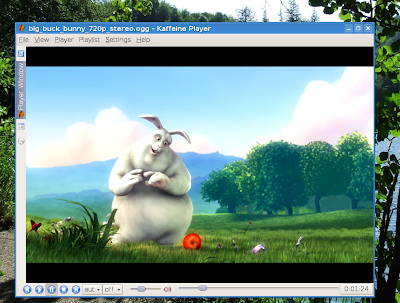
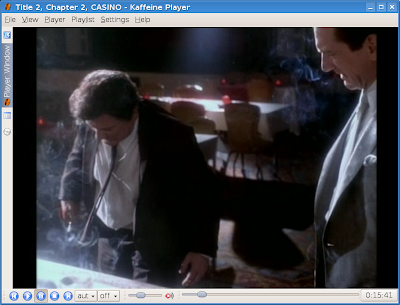
As I already mentioned, it handles well any type of format, including DVDs, DVD ISO images and mounted images. However I noticed that sometimes it won't play a DVD ISO image, but after mounting that image and pointing Kaffeine to the directory where it was mounted, it won't have any problems playing it.

Homepage

Conclusion
Those three players listed above are the ones which work great for me, and I can play any video content using them. There are tens of other video players out there. I could list just a few here: KPlayer, Codeine, Dragon Player, Xine-UI, Totem, GXine, RealPlayer and so on.